Open your apps
on purpose.
Picked up your phone for one thing. Ended up scrolling?
Rudder adds a brief check-in before the apps you choose. Notice the habit, remember your reason, and decide whether to continue or turn back.
For Android · No account needed
Keep a consistent check-in, or let Rudder learn from your recorded activity and feedback to suggest support that fits. You approve changes.
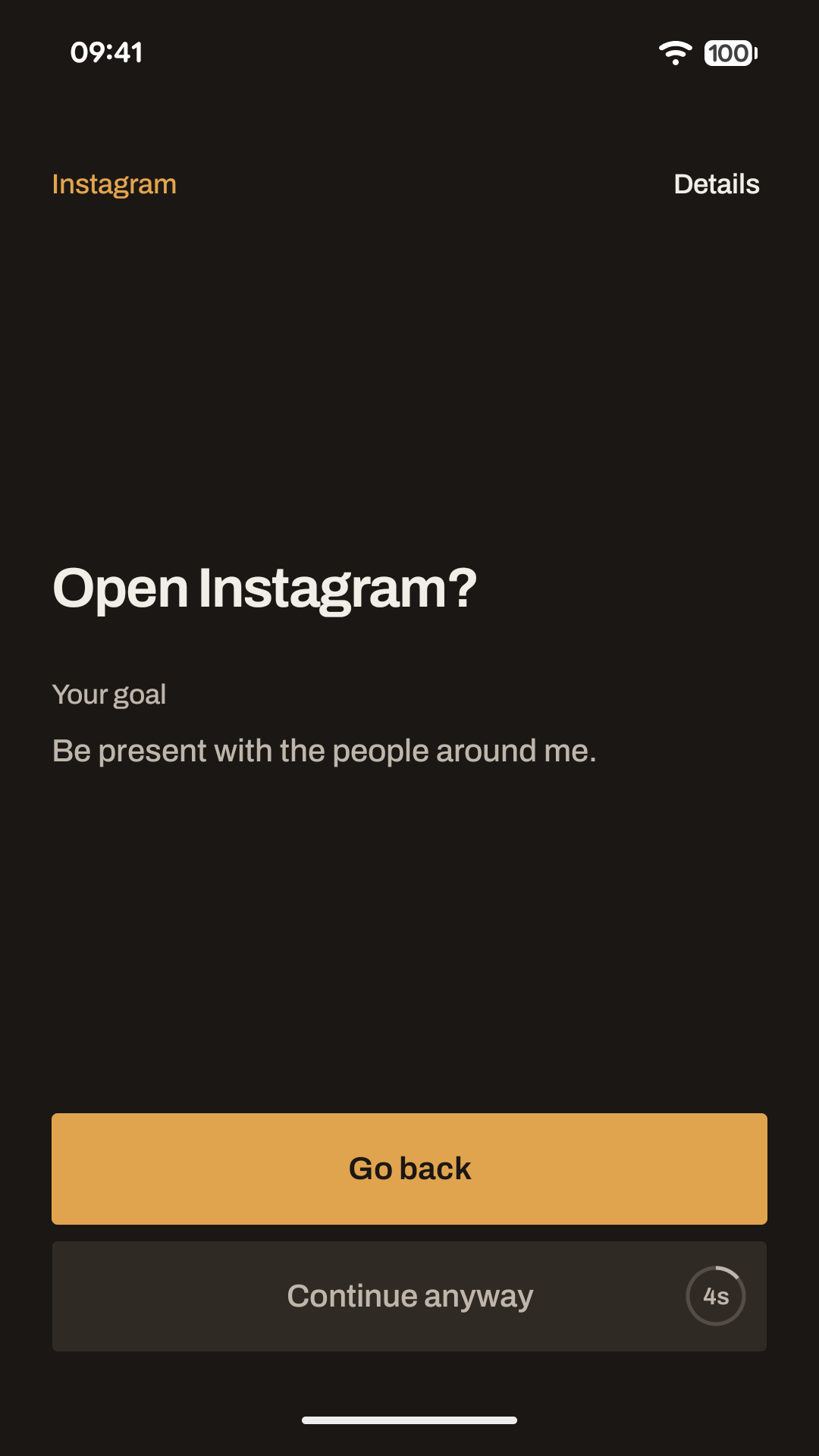
One app. Your reason. A different choice.
Choose your apps
Start with an app you often open automatically. Add a personal reason to remind yourself what matters to you.
Check in before going in
When you open it, Rudder gives you a brief pause. Continue if you want to, or go back to what you meant to do.
Find what helps
Keep your setup fixed, or try adaptive suggestions and review whether the support is helping.
Opening less automatically.
Leaving when you mean to.
A moment before you open
A check-in helps you notice an automatic reach for an app. Your optional personal reason keeps the choice connected to your own goal.
A reminder when time is up
If visits tend to run long, choose how long you want to stay. Rudder reminds you when that time ends, giving you another moment to decide.
Support that can adapt
Adaptive mode uses recorded activity and your feedback to suggest adjustments. Rudder explains the proposal and asks before applying it.
Room for your own choices
Different apps can have different support. Change your setup or stop new check-ins when you choose. Rest and entertainment can be intentional, too.
Personal support, without an account.
Your managed apps’ usage history, goals and check-in responses stay on your device unless you choose to export and share them. Rudder uses Firebase Crashlytics for technical crash and error diagnostics.
Android Accessibility access lets Rudder notice app and window transitions and show the check-in. It does not read screen content, messages or what you type.
A few things to know.
Is Rudder an app blocker?
Rudder helps you pause and choose before opening selected apps. You can continue after the brief wait or go back immediately. Time reminders and optional cooldowns offer different support; a cooldown temporarily blocks opening the app for the period you choose.
How does Rudder learn my habits?
With adaptive suggestions enabled, Rudder uses your selected-app history and review answers to propose changes. It needs recorded experience first, so suggestions may not appear immediately. You decide whether to accept them. Fixed setup keeps the support you selected.
Which permissions does it need?
Setup explains and requests Accessibility access and permission to display over other apps. These let Rudder detect app transitions and display check-ins. Rudder is a digital wellbeing app, not an accessibility tool for people with disabilities. Learn how it works.
Can I use Rudder on an iPhone?
Rudder is currently available for Android. There is no iPhone version.
Make the next open a choice.
Choose an app you reach for out of habit, and give yourself a moment before going in.
Questions? support@getrudder.app